

Create Glitch and Flash Transitions with Prompts in a Free Marketing Studio

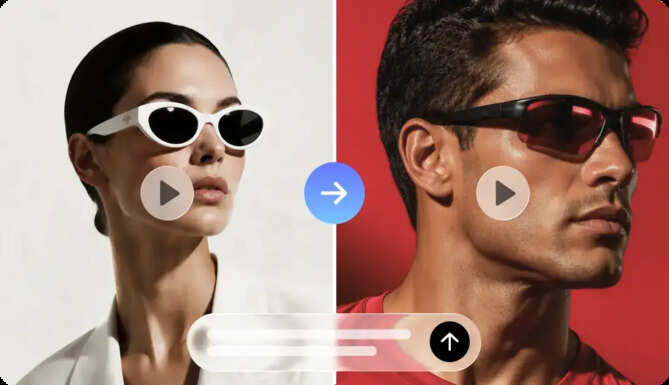
UdaipurTimes, 17 November 2026 | Technology and Business News: Glitch and flash transitions are the ones that make promotional videos more energetic, moving, and exciting. These effects link scenes together, while also providing unique visual experiences for viewers. Flash effects are used to add sudden brightness changes, and glitch transitions are used to add digital distortion. These are both effective for tech ads, game promotions, and streetwear campaigns. They also assist with the launch of energetic products and grabbing attention in social media advertisements. Product references, creative prompts, and AI video generation all come together in Dreamina's Marketing Studio. This duo allows creators to craft promotional videos with personalized transitions and familiar product visuals.
Understanding Glitch and Flash Transitions as Visual Storytelling Tools
Glitch and flash transitions convey movement in various ways. Digital glitch effects mimic electronic interference, resulting in broken-up and out-of-focus images. Some of the more common are RGB separation, pixel displacement, horizontal scan lines, and signal interference. These elements cause an artificial break before the next scene is presented. Flash transitions, however, are quick white-light flashes or controlled exposure changes. There is a momentary flash out of the frame before another shot is shown. The flash transitions are different from the distortion glitches, in that they focus on brightness instead of image breakup. Glitches indicate disruption of technology; flashes are more visual effects. Both techniques affect pacing and help to create a familiar ad style. Dreamina's free marketing studio is a creative space for creating ideas for promotions in product references and written instructions. It has video production features to turn visual instructions into advertising. When choosing transitions, make sure each one helps to carry out the desired tone for the campaign.
Exploring Different Glitch and Flash Transition Styles
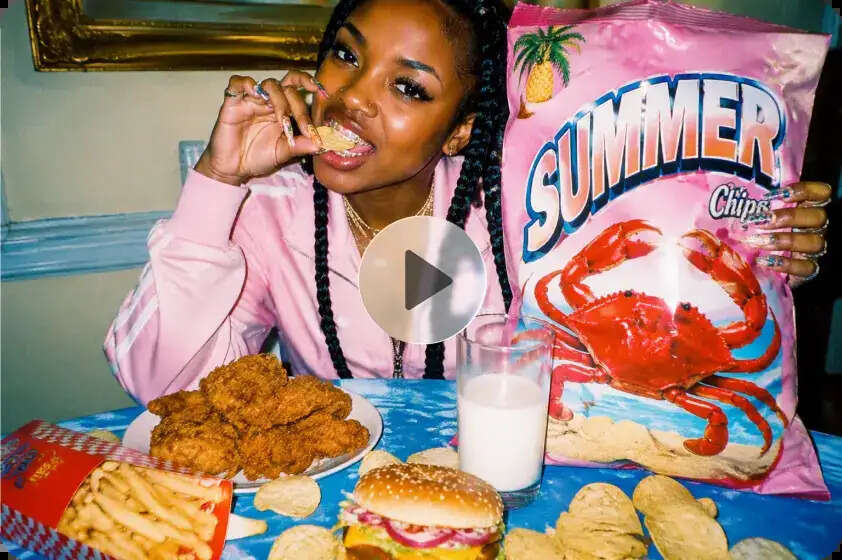
The various types of transitions evoke various visual effects. Their characteristics enable you to relate them to certain promotional ideas.
- RGB Split Glitch: Splits the red, green, and blue channels to create colorful digital distortion around objects.
- Pixel Displacement: Moves pieces of the image to produce disjointed image motion when switching scenes.
- Scan-Line Distortion: Can cause horizontal lines similar to interference on older digital screens.
- White Flash Cut: Pulses of high white light to join two scenes.
- Strobe-Inspired Flash: Employs on/off brightness modulation to create rhythmic visual movement.
- Digital Signal Breakup: Inserts brief static-like breaks before showing the scene that is coming in.
Each technique is used for a different creative function. RGB separation and pixel displacement generate very digital appearances. The images display scan lines and a breakup of the signal, indicating potential electronic disruption or futuristic settings. White flashes are cleaner - Rhythmic flashes support energetic sequences. Using a mix of effects can add to visual variation, but not be overpowering to individual shots.
Matching Transition Styles with Product Video Concepts
Selecting appropriate transitions to complement the product advertised provides greater visual consistency. Electronic products, gaming accessories, and futuristic technology products go naturally with RGB distortion. Digital interference also enables gaming promotions and experimental visual storytelling. Flash transitions work well for sportswear and streetwear ads and also any fashion ads that need to move quickly from scene to scene. Sometimes, when shooting up close and personal on a product, a short glitch can help highlight individual features. For instance, a warped transition could show the camera of a smartphone or a gaming keyboard. Another white flash could bring in another product angle. But too much can be distracting to viewers and take away from product information. Every transition should support the campaign message, rather than contradict it. Dreamina's Marketing Studio allows product references and creative instructions for the creation of various advertising concepts. The use of consistent product imagery is helpful for visual recognition across generated scenes.
Create Glitch and Flash Transitions with Prompts in a Free Marketing Studio
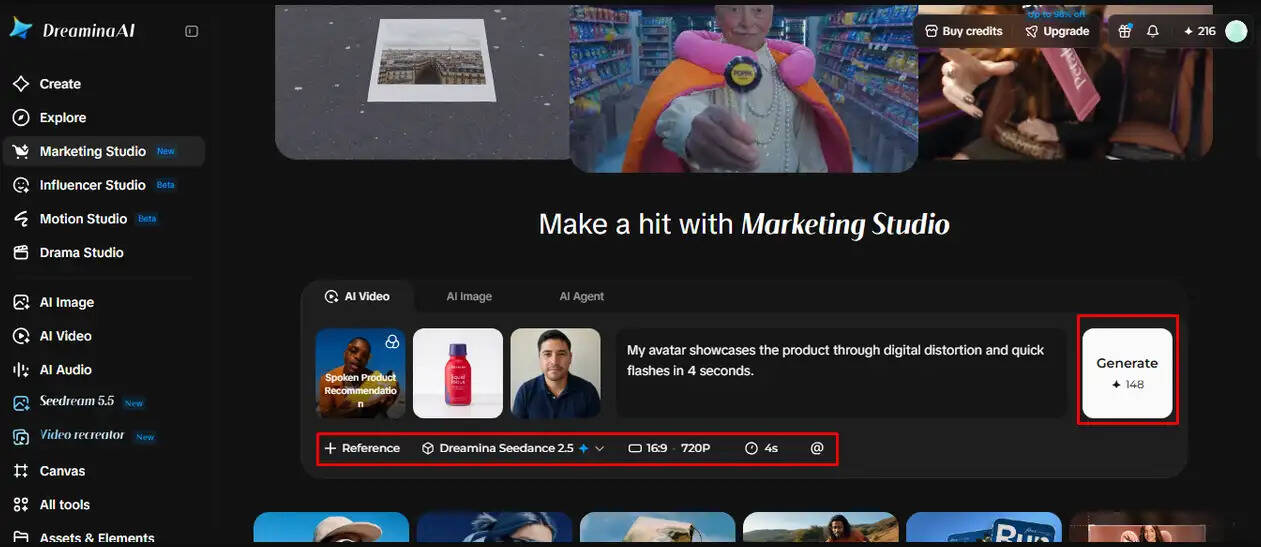
Step 1: Upload your product and describe the energy
- Sign up or log in to Dreamina first, so you can start creating high-energy transitions.
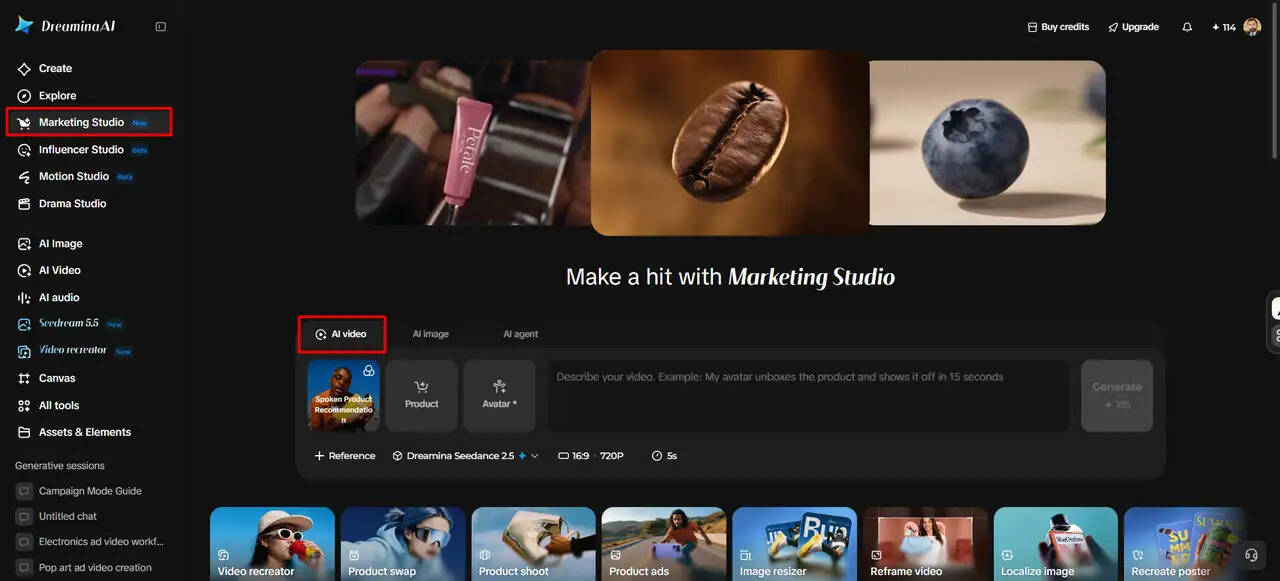
- Head to "Marketing Studio" on the left bar to open the creation hub.
- Choose "AI video" for glitch clips, "AI image" for still visuals, or "AI agent" for both. The agent covers image and short video creation in one place.
- In "AI video", click "Change style" to select a bold, digital style for your transitions.
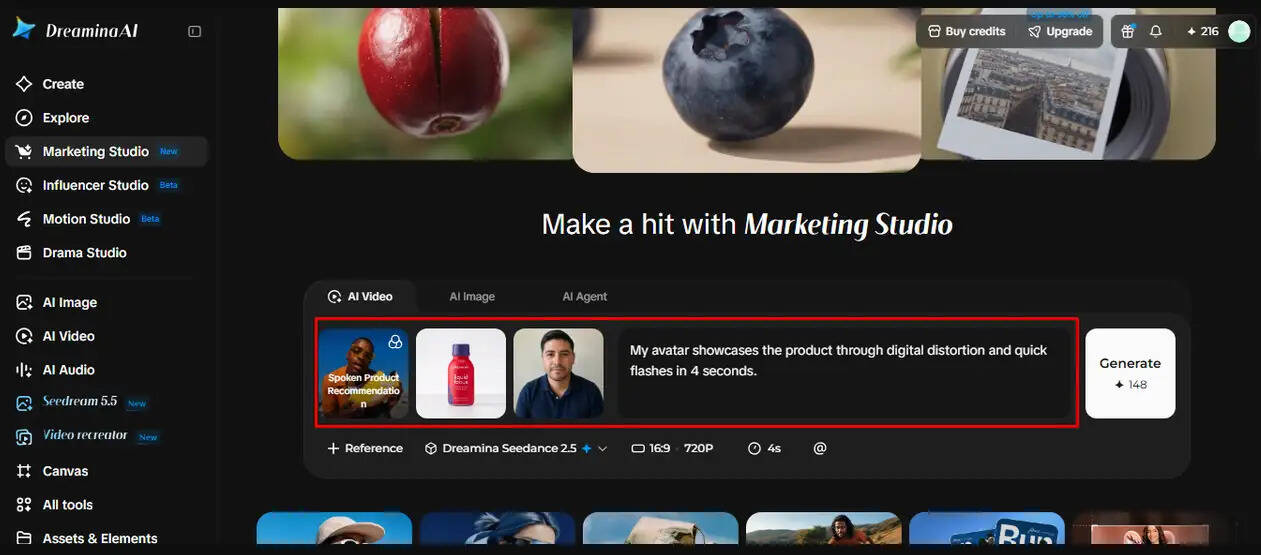
- Click "Product" to upload your product photo, then click "Avatar" to bring in a presenter. You can also select items from the existing library.
- Write a prompt that explains when the glitch and flash should hit. Add custom direction about intensity, color shifts, and how the cuts should feel.
Step 2: Configure your output and generate the transitions
- Click the "Reference" tab and add a video that shows the glitch pattern you want. The AI studies it to shape your result.
- Select a model such as HappyHorse 1.1, Dreamina Seedance 2.5, Dreamina Seedance 2.0, Dreamina Seedance 2.0 Fast, Dreamina Seedance 2.0 Mini, or Wan 3.0.
- Use the "Aspect ratio" and "Resolution" tabs to set your custom frame size and quality.
- Click the "Duration" tab to set a length that keeps each flash quick and punchy.
- Type "@" to mention or highlight the product, so it stays visible through every glitch.
- Click "Generate" to start building your transition video.
Step 3: Test the timing, refine it, and download
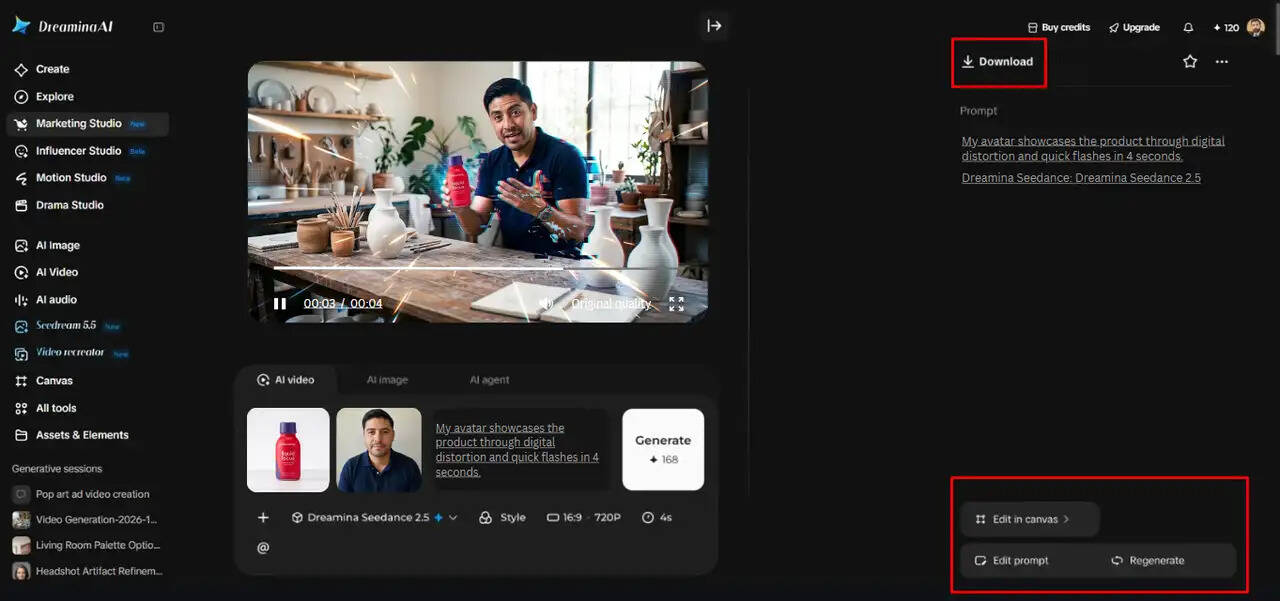
- Watch the finished video in full screen and check the product framing during each flash. Notice the avatar's delivery and the pacing between glitches.
- If a transition feels too chaotic, choose "Edit prompt" or "Regenerate" to improve it.
- You can also open "Edit in canvas" to edit with full freedom. Replace the background, add effects, or crop the video as needed.
- Once the timing feels sharp, click "Download" to save your video. Share it across your marketing channels right away.
Writing Precise Prompts for Glitch and Flash Transitions
Specific cues can convey the desired mode of transition and desired direction of gaze. First, clearly specify each effect, whether it be RGB separation, pixel distortion, or white flashes. Describe its intensity, duration, direction, and position in the sequence. Decide whether to distort the whole frame or focus distortion on the edges of the frame. Describe what each scene should look like when it comes in. Also don't neglect product preservation, especially if the ads include familiar designs. Clear instructions help to minimize unwanted distortion and inconsistent product appearance. Here's an example: "Fast-paced product ad with short RGB split glitches, some digital pixel distortion but kept within control and crisp flash transitions between clean product shots, keeping the product's shape and details recognizable. This type of guidance sets a more defined creative path for Dreamina's Marketing Studio.
Controlling Visual Intensity, Pacing, and Transition Consistency
A promotional video's rhythm and readability are directly affected by the transition frequency. The frequent glitches make it urgent, but can make it hard to pick out individual product shots. Often, short distortions are more effective than continuous interference in the circumstances of a scene change. Flash effects also need to be timed to avoid an uncomfortable intensity of the image. Check the footage for double exposure, color instability, and unwanted flickering. Review whether product shapes are consistent in different camera angles. Review transitions with music, typography, and the storytelling sequence. Dreamina's editing features enable video generation with additional adjustments. By watching the entire video, you can see the effects that disrupt the video flow, which will be detrimental to the video's effectiveness, rather than enhance it.
Applying Glitch and Flash Effects to Different Promotional Formats
The final video format affects the placement of transitions, framing, and visual composition. Videos that are shot vertically work well for social media marketing, such as quick product ads. Glitch effects can be used to introduce products in a short time period for limited viewings. Landscape compositions give even more room for tech adverts and website campaigns. Square formats are ideal for social media content that features products, providing a balanced frame. The timing of transitions should be complemented by typography, product reveals, and brand elements. Ensure key information and product details are not lost when the scene changes. Choose suitable aspect ratios and resolutions based on publishing needs. At Dreamina's Marketing Studio, video dimensions can be adjusted for various marketing placements. Having the same formatting means that the desired look is consistent across ad channels.
Conclusion
Glitch and flash transitions add unique oomph to promotional video narratives. Digital distortion effects add a futuristic feel, and brightness bursts enhance scene transitions. They are only effective when prompted accurately, intensity is controlled, and the product is seen all the time. Dreamina's Marketing Studio integrates product references, AI video generation, and editing. These are tools that can be used to help the creative development of advertisements, product showcases, and social media campaigns. Marketing videos are dynamic and retain clear and recognisable messages through intentional transitions.
Disclaimer: This Post is not written or produced by UdaipurTimes writers/journalists. UdaipurTimes follows ASCI guidelines for Online Advertising. The information may involve financial or health risk and UdaipurTimes does not endorse or promote any claims made in this post.
