

SBI WhatsApp Banking: Check Account Balance, Mini Statement and Pension Slip Without Visiting Bank
State Bank of India (SBI) customers can access several basic banking services through WhatsApp without downloading a separate application. The service allows users to check account balances, view their last five transactions, download pension slips and access loan-related information. Here is how to activate SBI WhatsApp Banking and use its features safely.

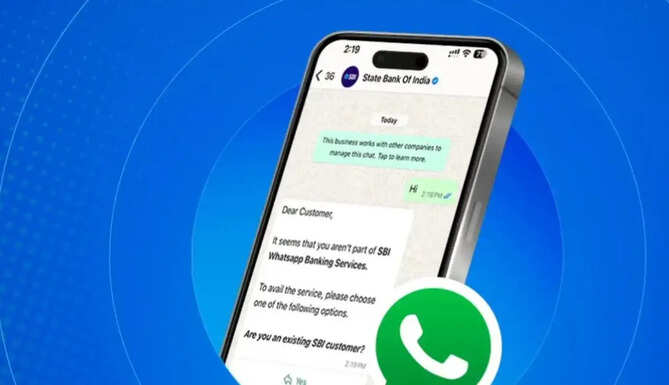
November 24, 2026: Do you use WhatsApp on your smartphone but still have to visit your bank branch repeatedly for small banking tasks? Or do you open the YONO app every time you want to check your account balance? State Bank of India (SBI) offers a convenient alternative for its customers through its WhatsApp Banking service. With this facility, customers can check important banking details, including their account balance, recent transaction history and pension slips, from the comfort of their homes. This service can be particularly useful for senior citizens and people who are not comfortable using mobile banking apps.
The best part is that customers do not need to download a separate application to use this service. They can activate SBI WhatsApp Banking directly through WhatsApp using their mobile number registered with the bank.
To activate the service, customers first need to register their mobile numbers. For this, they must send an SMS from their bank-registered mobile number in the format WAREG followed by a space and their account number. For example: WAREG 12345678901. Once the SMS is sent, the mobile number will be registered for WhatsApp Banking, subject to successful verification by the bank.
Next, save +91 9022690226 on your phone under the name SBI WhatsApp. Open WhatsApp and send a message saying Hi to this number. After successful registration, you should receive a confirmation message from the bank, allowing you to access the service.
Once the registration is complete, simply send Hi to the SBI WhatsApp number to view the available banking services. A menu will appear on your screen. Select option 1 to check your current account balance or option 2 to view your last five transactions through a mini statement.
What Services Can You Access Through SBI WhatsApp Banking?
Apart from checking account balances and recent transactions, SBI WhatsApp Banking offers several other useful facilities. Pensioners can download their pension slips directly through WhatsApp without visiting a bank branch.
Customers can also check the status of their home loans and education loans, as well as find information about applicable interest rates. The service also helps users locate their nearest SBI ATM or bank branch through WhatsApp.
These facilities can save customers time and reduce the need to visit a bank branch for routine banking enquiries. The service is particularly helpful for senior citizens and customers who prefer simple messaging-based banking facilities.
Important Safety Tips While Using SBI WhatsApp Banking
While using SBI WhatsApp Banking, customers should remain alert to possible online fraud. SBI never asks customers to share their OTP, ATM PIN, UPI PIN or account password through WhatsApp. Anyone requesting such confidential information while claiming to represent SBI should be treated with suspicion.
Customers should also ensure that they are using the bank's official WhatsApp number and accessing the service through their mobile number registered with SBI. They should never click on suspicious links or share confidential banking details with unknown contacts.
By following these precautions, customers can use SBI WhatsApp Banking to access several basic banking services conveniently from home.
