

8 Essential Graphic Design Tools for Creative Professionals
Illustrator remains the vector powerhouse. Logos, icons, branding elements, packaging — anything that needs to be scaled up and down without loss of quality — that’s what Illustrator was made for

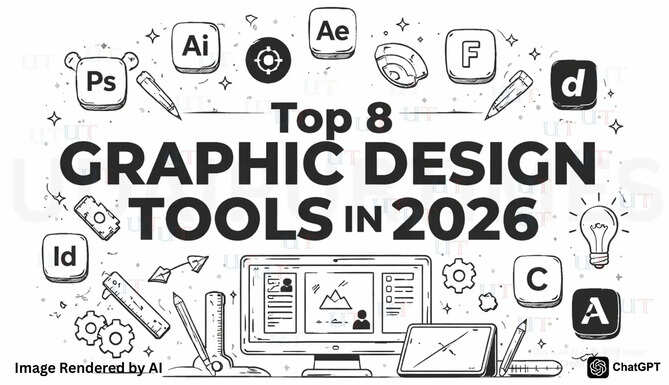
Udaipur, Mar 06, 2026: If you’re a graphic designer in 2026, you know that there’s always some hot new tool on the block promising to be “a game-changer.” But if you talk to the experts, you’ll find that they aren’t running to every new thing that comes along. Instead, they stick to the ones that can do everything they need creatively, from brainstorming to animation.
Is there a one-size-fits-all solution? Not really. It’s just a matter of assembling a toolbox that works for you. Some tools are about precision, while others are about moving fast and trying things out without getting too obsessed with the details.
These are eight graphic design tools that are making a difference.

1. Adobe Photoshop
There is still plenty of creative work that involves Photoshop. Even if you’re not a photographer, you’ll eventually use it for branding, UI or content design somewhere down the line. It’s basically the perfect melting pot for asset creation, digital painting, and photo editing. It’s also often the first port of call that designers turn to when they want to mock up an idea or try something out.
For students or budget-strapped creatives, Creative Cloud's student offer can make the Adobe ecosystem much more accessible. Rather than having to purchase one tool at a time, you have access to the entire suite at a fraction of the cost. This is particularly useful if your own work starts to venture into animation, video, or interactive design. You get to tinker around now rather than having to start from scratch later on.
It’s Photoshop’s depth that ultimately makes it unparalleled. And the good news is you don’t have to know it all. Once you understand a couple of key things, you can apply that knowledge to almost anything in the design world.
Best for
-
Mocking up ideas fast.
-
Editing and retouching images.
-
Creating layered digital artwork.
2. Adobe Illustrator
Illustrator remains the vector powerhouse. Logos, icons, branding elements, packaging — anything that needs to be scaled up and down without loss of quality — that’s what Illustrator was made for. The level of precision is what makes it so special.
And, of course, it works beautifully with other Adobe products so sharing files is a breeze. Just drag the vector files right into After Effects or Premiere Pro and simply add your animations. This is a real time-saver, especially for designers who are usually juggling multiple projects at once.
Illustrator is one of those design tools that designers carry with them throughout the lifetime of their careers. Files can be edited, scaled, and reused years after they were first created without having to start from scratch.
Best for
-
Designing logos and brand marks.
-
Creating scalable icons and graphics.
-
Building clean vector illustrations.
3. Adobe InDesign
For design-heavy work, most people end up defaulting to Adobe InDesign. It’s got a fantastic layout system for stuff like editorial projects, reports, presentations and white papers, and publications. Essentially, anything that needs consistency and accuracy.
It has features like paragraph styles and master pages that make working with large projects much easier. You can create templates and guidelines, and then focus on the fun stuff, like scaling your startup, rather than fixing each page manually. This is why big design teams and ad agencies use it day in, day out.
What’s more, it is also increasingly used in digital publishing. This is where a lot of interactive PDFs, web pages, and cross-platform content are made before being exported to other platforms. It’s one of those tools that just gets the job done in the background, and that’s another reason why so many teams go back to it even after trying something new.
Best for
-
Laying out magazines and reports.
-
Managing multi-page documents.
-
Creating consistent templates.
4. Adobe After Effects
Animation is no longer a luxury. Brands want motion graphics on all their social media posts, ads, product demos, and pretty much everywhere else. After Effects is the go-to software for the job, whether it’s simple logo animations or crazy VFX.
Even if you’re not a motion graphics pro, learning the basics can be incredibly useful because things like animated logos and transitions can really add some flair to your work. Yes, there’s a bit of a learning curve — but it’s time well spent. If you’re familiar with After Effects, it can be a great way to boost your resume and make your portfolio stand out. If you haven’t tried it yet, now’s a good time.
Best for
-
Animating logos and graphics.
-
Creating motion for social content.
-
Adding polish to video projects.
5. Adobe Express
Adobe Express is trending right now, and we’re not mad about it. It lets designers and non-designers alike create social media posts, quick videos, and branded graphics without needing any heavy software. Just a browser will do. And guess what? It's free!
It’s chock-full of intuitive tools where you can remove backgrounds, resize images, or make other small tweaks without needing to be a design guru. If you’re in a busy team or running a small business, this level of speed can be a huge help because it saves time. It also allows ideas to flow faster and for digital marketers to avoid common mistakes.
Is this a pro app that replaces Photoshop or Illustrator for professional design work? Not at all. Think of it as something that fills the awkward gap between professional design and regular content. It’s ideal if you’re looking for speed, collaboration, and templates that your clients and teams can edit on their own without accidentally ruining a design.
Best for
-
Making quick social posts.
-
Resizing content fast.
-
Creating simple branded templates.
6. Figma
Figma has been growing in popularity especially in the context of UI, product, and web design. What’s really amazing is the collaboration tool. Multiple users can work on the same file, give feedback, and make changes in real-time. This keeps the design in motion, and you don’t have to constantly worry about annoying email loops.
It’s also useful for creating design systems and ensuring consistency across multiple platforms. You don’t have to think about file management because everything comes together in one place. Even if you’re not working on product design on a professional level, it’s good to understand how it works because many clients and marketing teams now require this level of flexibility.
Best for
-
Designing websites and apps.
-
Collaborating in real time.
-
Building design systems.
7. Affinity
Affinity is a good choice for freelance artists and small design teams, especially since it doesn’t require a subscription fee. It can handle anything vector and raster-related, so it’s great for branding, illustration, or general design work. It’s all in one place so you’re not switching between dozens of applications.
It’s a favourite among many designers because it’s ridiculously easy to use. It’s clean, fast, and you can get the hang of it without too much fuss. It’s also a great “spare” in your arsenal. It’s perfect for those moments when you just need something that opens quickly and lets you get the job done.
Best for
-
Creating vector graphics.
-
Handling freelance projects.
-
Working without a subscription.
8. Canva
Design snobs might roll their eyes at this one, but Canva is wildly successful — and for good reason. It’s quick, effective, and widely embraced by clients and marketing teams. You don’t need to have any special skills to produce something decent, and for many people that’s a huge part of its selling point. Even kids are able to use it for school projects.
Just remember that Canva isn’t a replacement for professional-grade tools. It’s more of an addition. Designers lay the initial groundwork in more robust tools, then pass lightweight versions off to teams that need something usable on a daily basis. That way, the pros can focus on what matters most and keep things consistent across the whole company.
Best for
-
Quick marketing materials.
-
Easy team templates.
-
Fast day-to-day design.
Choosing the Tools That Work for You
The tools are less important than what you do with them. Most designers develop their own groove over time, figuring out what allows them to think clearly and work faster without making the process more complicated. The things that work well for one person can feel awkward or even annoying to another, and that’s perfectly okay.
You don’t have to stay on top of everything that comes down the pike. The point is to find something that fits well into your own workflow and allows you to be your best creative self. In time, you’ll discover a few different platforms that will seamlessly fit into your individual design toolkit.
So, go ahead and play around with a few different tools, see what sticks, and throw the rest out.
#GraphicDesign #DesignTools #Photoshop #Illustrator #Figma #CanvaDesign #MotionGraphics #CreativeTools #DigitalDesign #DesignWorkflow #RajasthanTech #UdaipurDigital #UdaipurDesigners #RajasthanStartups #IndiaDesignCommunity
